本地图像生成:ComfyUI 和 FLUX 模型

Written by

in

如今,您不必依赖云服务:您可以完全在自己的硬件上生成高质量的图像。在这篇文章中,我将描述如何使用 ComfyUI 在计算机上本地运行现代 FLUX 模型。
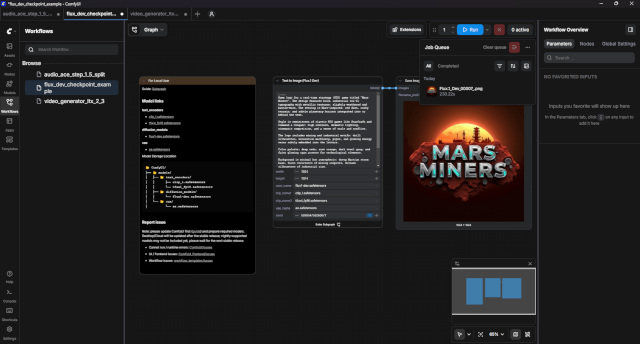
ComfyUI 采用基于节点的架构。这使您能够:
– 完全控制生成的每个阶段。
– 轻松共享现成的“工作流程”

FLUX是大型模型,因此硬件要求比SD 1.5或SDXL更高:
– 显卡 (GPU): Nvidia RTX,具有 12 GB VRAM 或更高(为了舒适工作)。如果您有 8 GB 或更少,则必须使用量化版本(GGUF 或 NF4)。
– 随机存取存储器 (RAM): 至少 16 GB(最好 32 GB 及以上)。
– 磁盘空间: 模型和组件大约需要 20–50 GB。

启动 FLUX 最简单的方法是使用现成的模板。只需在工作流程窗口中搜索 Flux Text to Image 并安装即可。

在“Text to Image (Flux.1 Dev)”节点中用英文编写提示,选择分辨率(FLUX 适用于 1024×1024 甚至更高),然后按 RUN。

第一代可能需要一些时间,因为模型将加载到显卡内存中。

https://github.com/comfyanonymous/ComfyUI

Comments

Leave a Reply

Your email address will not be published. Required fields are marked *

DemensDeum
Privacy Overview

This website uses cookies so that we can provide you with the best user experience possible. Cookie information is stored in your browser and performs functions such as recognising you when you return to our website and helping our team to understand which sections of the website you find most interesting and useful.