Nowadays, you don’t have to rely on cloud services: you can generate high-quality images entirely on your own hardware. In this post, I will describe how to run the modern FLUX model locally on your computer using ComfyUI.
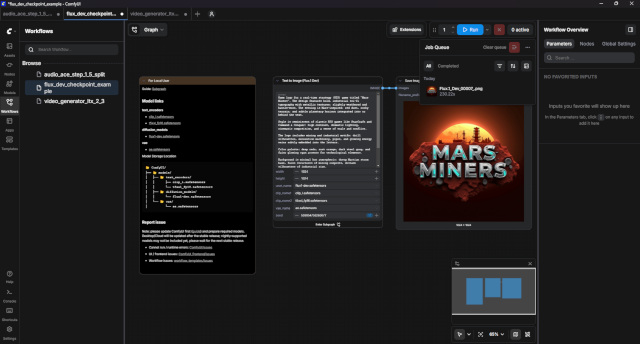
ComfyUI uses node-based architecture. This allows you to:
– Totally control every stage of generation.
– Easily share ready-made “workflows”
FLUX is a large model, so the hardware requirements are higher than SD 1.5 or SDXL:
– Video card (GPU): Nvidia RTX with 12 GB VRAM or higher (for comfortable work). If you have 8 GB or less, you will have to use the quantized versions (GGUF or NF4).
– Random access memory (RAM): minimum 16 GB (preferably 32 GB and above).
– Disk Space: Approximately 20–50 GB for models and components.
The easiest way to start FLUX is to use a ready-made template. Just search for flux text to image in the workflows window and install.
Write a prompt in English in the `Text to Image (Flux.1 Dev)` node, select the resolution (FLUX works well with 1024×1024 and even higher) and press RUN.
The first generation may take time as the models will be loaded into the video card memory.
https://github.com/comfyanonymous/ComfyUI
