Nowadays, you don’t have to rely on cloud services to create content: you can generate high-quality music entirely on your own hardware. In this post, I will describe how to run the modern ACE-Step-1.5 model locally on your computer using ComfyUI.
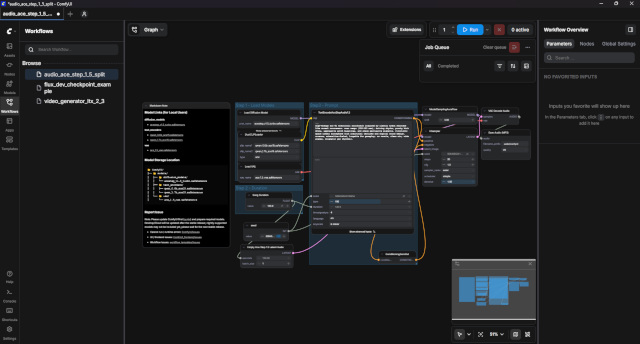
ComfyUI uses node-based architecture. This allows you to:
– Totally control every stage of audio generation.
– Easily share ready-made “workflows”.
ACE-Step-1.5 is an advanced model for music generation that requires significant computational resources. The hardware requirements are higher than those of many simple synthesizers:
– Video card (GPU): Nvidia RTX with 8 GB VRAM or higher (12 GB+ recommended) for comfortable work at high quality.
– Random access memory (RAM): minimum 16 GB (preferably 32 GB and above).
– Processor (CPU): Modern multi-core processor with good support for AVX/CUDA computing.
– Disk Space: Approximately 20–50 GB for models and components.
The easiest way to run ACE-Step-1.5 is to use a ready-made audio generation template. Just search for music text to audio in the workflows window and install.
Write a prompt describing the genre and mood (for example, “uplifting synthwave track with heavy bass”) in the `Prompt Input` node. Specify the desired duration and press RUN.
The first generation may take time, as the models will be loaded into the video card memory and process complex acoustic patterns.
https://github.com/comfyanonymous/ComfyUI
https://www.youtube.com/watch?v=UAlLD5fS7-c
